The Best IPTV Player for Android: Why Orca Player Stands Out
Table of contents
If you're looking for the best IPTV player for Android, you want three things: fast channel switching, a TV guide that actually works, and an app that doesn't fight you. Orca Player delivers all three. It loads any M3U playlist or Xtream Codes login, runs on Android phones, tablets, Android TV, Google TV and Fire TV, and starts a 7-day free trial the moment you install it — no credit card needed.
In this guide you'll see what separates a great Android IPTV app from an average one, how Orca Player measures up, and how to set it up in about two minutes.
Note: Orca Player is a media player only. It doesn't sell, host or include any channels. You add a playlist from your own IPTV provider.
What Makes the Best IPTV Player for Android?
Android is the most open platform for IPTV, so there are dozens of apps to choose from. Almost all of them can open a playlist. Far fewer make watching TV enjoyable. Before you commit to one, check these six points:
- Playlist support: It should accept both M3U URLs and Xtream Codes (server, username and password).
- A real EPG: A program guide that shows what's on now and next, with XMLTV support.
- Smooth playback: Hardware-accelerated decoding, so HD and 4K streams don't stutter on a budget phone or TV box.
- Organized VOD: Movies and series sorted into categories with posters, not a raw list of links.
- Remote-friendly design: On Android TV and Fire TV, every screen must work with a D-pad.
- Fair pricing: A trial to test it properly, and no surprise renewals.
Why Orca Player Is the Best IPTV Player for Android
Orca Player was designed around exactly that checklist. Here's what you get on Android.
| Feature | What it means for you |
|---|---|
| M3U + Xtream Codes | Works with practically any IPTV provider's login |
| Multiple playlists | Add several providers and switch between them in seconds |
| 7-day EPG (XMLTV) | See what's on now and plan the week ahead on every channel |
| Catch-up and time-shift | Rewind live TV or watch past programs, if your provider supports it |
| Continue Watching | Movies and episodes resume exactly where you stopped |
| Instant search | Live results across channels, movies and series as you type |
| Audio and subtitle tracks | Switch languages on the fly; external subtitle files supported |
| Parental control | Lock adult or unsuitable categories behind a key |
| SD up to 4K and 8K | Hardware decoding keeps high-resolution streams smooth |
| 15+ app languages | Use the interface in your own language |
One app for every Android screen
Most people don't watch IPTV on just one device. Orca Player runs on Android phones and tablets, Android TV boxes, Google TV devices and Amazon Fire TV. On a phone you navigate by touch; on a TV everything works with the remote. Your favorites sync across your activated devices, so the channels you starred on your phone are waiting on your TV.
Manage playlists from the web, not the remote
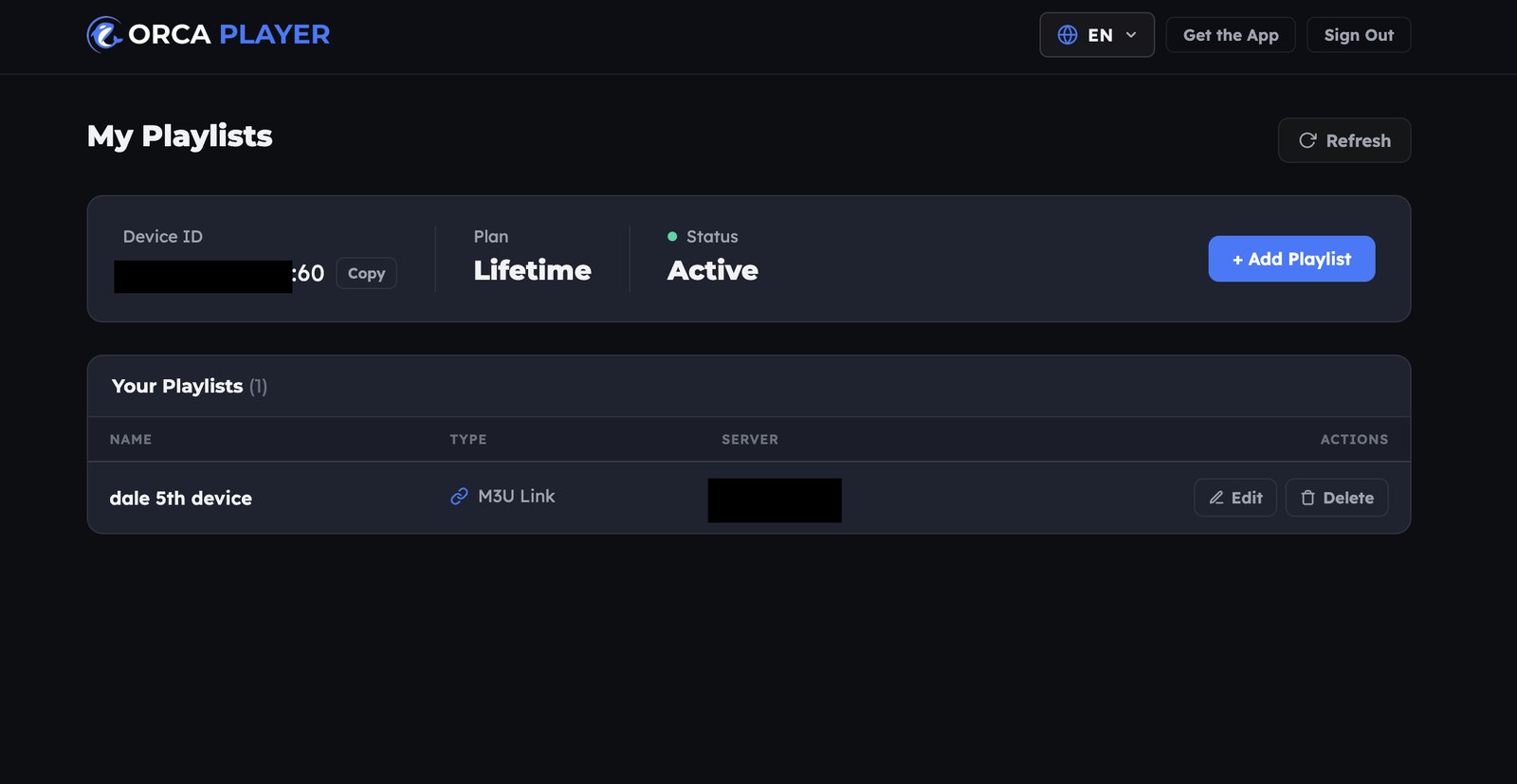
Typing a long M3U link with a TV remote is painful. With Orca you can add and edit playlists from the Manage Playlist dashboard on your phone or laptop, using the Device ID and Device Key shown in the app. The playlist then appears on your TV.
A clean interface built for live TV
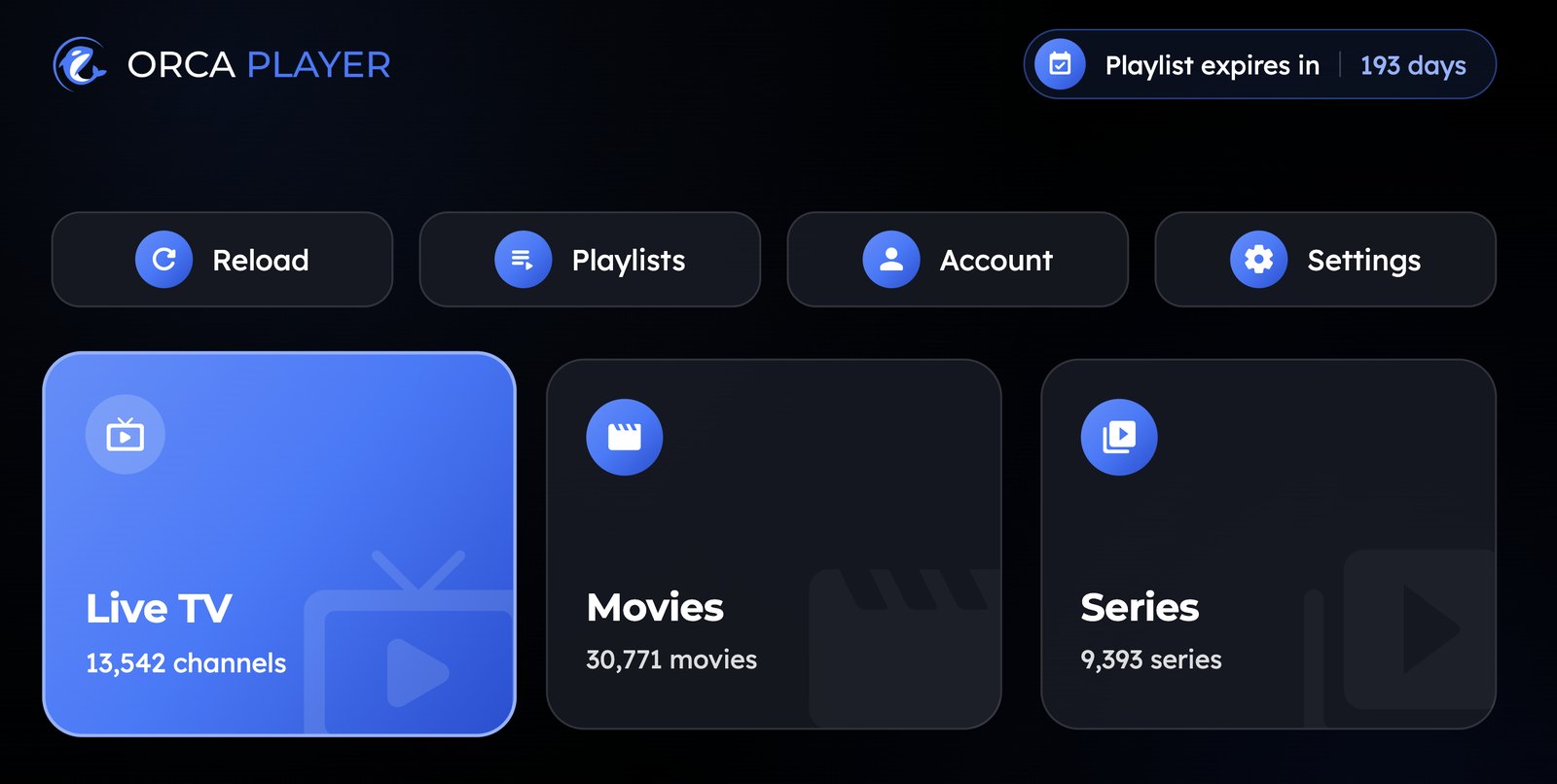
Live TV, Movies and Series each get their own section. The Live screen shows your channel categories, the channel list, a live preview and the TV guide side by side, so you never have to leave the stream to see what's on next.
Orca Player vs Other Android IPTV Apps
Popular apps like TiviMate and IPTV Smarters Pro are solid choices, and many people have used them for years. TiviMate, for example, is built only for Android-based devices. Orca Player's advantages are different:
- Simple, one-time pricing: €9.99 once for lifetime access, or €4.99 for a year with no automatic renewal.
- Every feature in every plan: No "premium" tier that hides the EPG or multiple playlists.
- Beyond Android: Orca also runs on Windows today, with LG, Samsung, Apple devices and Roku on the way, so you won't need to learn a new app when you change screens.
How to Install Orca Player on Android
- Android phone, tablet, Android TV or Google TV: Install Orca Player from Google Play. If your device has no Play Store, download the APK from orcaplayer.app/download.
- Amazon Fire TV or Fire Stick: Install the free Downloader app from the Amazon Appstore.
- Go to Settings → My Fire TV → Developer options → Install unknown apps and turn Downloader on.
- Open Downloader, enter the code 5318608, press Go, then Install.
Can't see Developer options on Fire TV? Open Settings → My Fire TV → About and press OK on your device name seven times.
How to Add Your IPTV Playlist
- Open Orca Player. Your 7-day trial starts automatically.
- Note the Device ID and Device Key shown on screen.
- Enter your M3U URL or Xtream Codes details in the app, or add them from the web dashboard.
- Your channels, movies and series load, sorted by category. Start watching.
How Much Does Orca Player Cost?
Every plan includes every feature:
- Free trial: 7 days, automatic on first launch, one trial per device.
- Yearly: €4.99, a one-time payment that doesn't auto-renew.
- Lifetime: €9.99, paid once.
When your trial ends, go to the activation page, enter your Device ID and Device Key, choose a plan and pay securely with PayPal. Your device unlocks right after payment.
Frequently Asked Questions
Is Orca Player free on Android?
The app is free to download, and you get a full 7-day trial. After that, it's €4.99 per year or €9.99 for lifetime access.
Does Orca Player include channels?
No. It's a player only. You need an M3U playlist or Xtream Codes subscription from your own provider.
Is using an IPTV player legal?
Yes, an IPTV player is legal software, just like a video player. What matters is that the content in your playlist is properly licensed where you live.
Does it work on a Fire TV Stick?
Yes. Install it with the Downloader app and code 5318608.
Can Orca Player play 4K streams?
Yes, from SD up to 4K and 8K, depending on your provider's streams and your device.
Final Verdict
The best IPTV player for Android should feel fast, look clean and work the same on your phone and your TV. Orca Player checks every box: M3U and Xtream Codes support, a 7-day EPG, catch-up, multi-playlist management and fair one-time pricing. Install it, add your playlist, and use the free week to see the difference for yourself.


