The Best IPTV Player for Windows 10 and 11
Table of contents
- Why Use a Dedicated IPTV Player on Windows?
- What Makes the Best IPTV Player for Windows?
- VLC vs Kodi vs Orca Player on Windows
- Why Orca Player Is the Best IPTV Player for Windows
- How to Install Orca Player on Windows
- How to Add Your Playlist
- Tips for Better IPTV Streaming on a PC
- Pricing and Activation
- Frequently Asked Questions
- Final Verdict
The best IPTV player for Windows should install safely, load your playlist in seconds, and give you a real TV guide instead of a list of links. Orca Player does all of that. It's available on the Microsoft Store for Windows 10 and 11, supports M3U playlists and Xtream Codes, and includes a 7-day EPG, catch-up, a movies and series library, and a free 7-day trial that starts automatically.
In this guide we compare the usual ways to watch IPTV on a PC, explain why Orca Player is our top pick, and show you how to set it up in about two minutes.
Note: Orca Player is a media player only. It doesn't sell, host or include any channels. You add a playlist from your own IPTV provider.
Why Use a Dedicated IPTV Player on Windows?
A Windows PC or laptop makes a great IPTV screen. You can keep a live news or sports channel open on a second monitor while you work, connect your laptop to a TV with HDMI, or watch series in bed without a TV at all.
But Windows doesn't include an IPTV player. Most people try one of these options first:
- VLC media player: Free and reliable, and it can open an M3U file. But it shows your playlist as a plain list, with no program guide, no Xtream Codes login and no movie library.
- Kodi with a PVR add-on: Very powerful, but setup is complex, and the interface can feel slow with large playlists.
- Browser players: Convenient, but usually limited and tied to one provider's website.
- Random downloads from the web: Risky. Unknown .exe files can come bundled with adware or worse.
A dedicated player from the Microsoft Store avoids all of these problems.
What Makes the Best IPTV Player for Windows?
We judge Windows IPTV apps on six points:
- Safe installation from the official Microsoft Store, with automatic updates.
- M3U and Xtream Codes support, so it works with any provider.
- A full EPG, with several days of listings.
- Organized VOD: movies and series in categories, with posters and ratings.
- Smooth playback up to 4K using your PC's hardware decoding.
- Fair pricing: a real trial and no automatic renewals.
VLC vs Kodi vs Orca Player on Windows
| Feature | VLC | Kodi + PVR add-on | Orca Player |
|---|---|---|---|
| Install from Microsoft Store | Yes | Yes | Yes |
| M3U playlists | Yes | Yes | Yes |
| Xtream Codes login | No | Depends on add-on | Yes |
| 7-day EPG (XMLTV) | No | Yes | Yes |
| Movies and series library | No | Depends on add-on | Yes |
| Setup time | Minutes | Long | About 2 minutes |
| Parental control | No | Basic | Yes |
| Favorites synced to phone and TV | No | No | Yes |
Why Orca Player Is the Best IPTV Player for Windows
Live TV that feels like TV
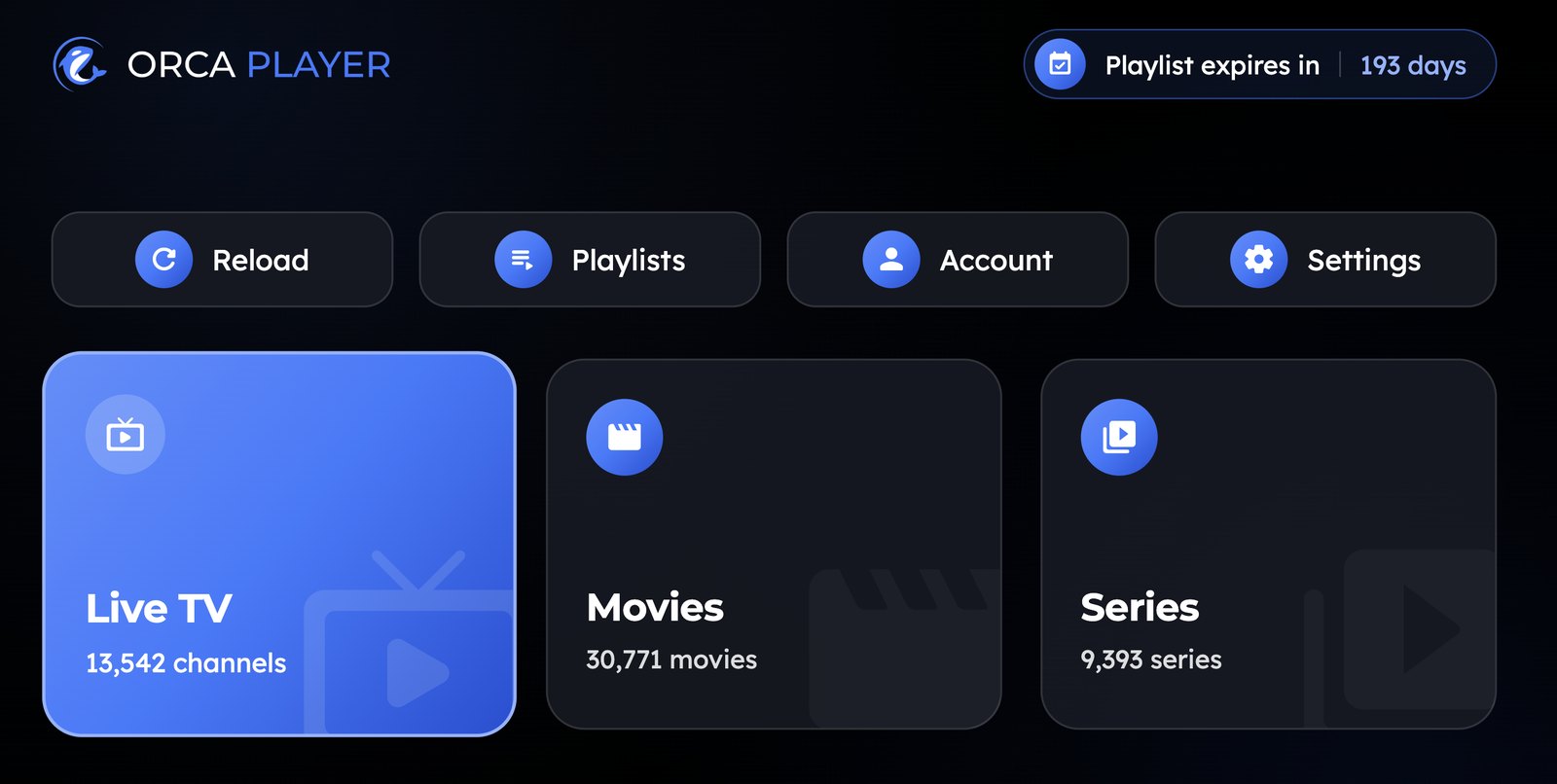
Orca Player splits your content into Live TV, Movies and Series. The Live screen shows categories, the channel list, a live preview and the TV guide together, which uses a PC's wide screen well. You can see what's on now and what's coming next without leaving the stream.
Easy playlist setup
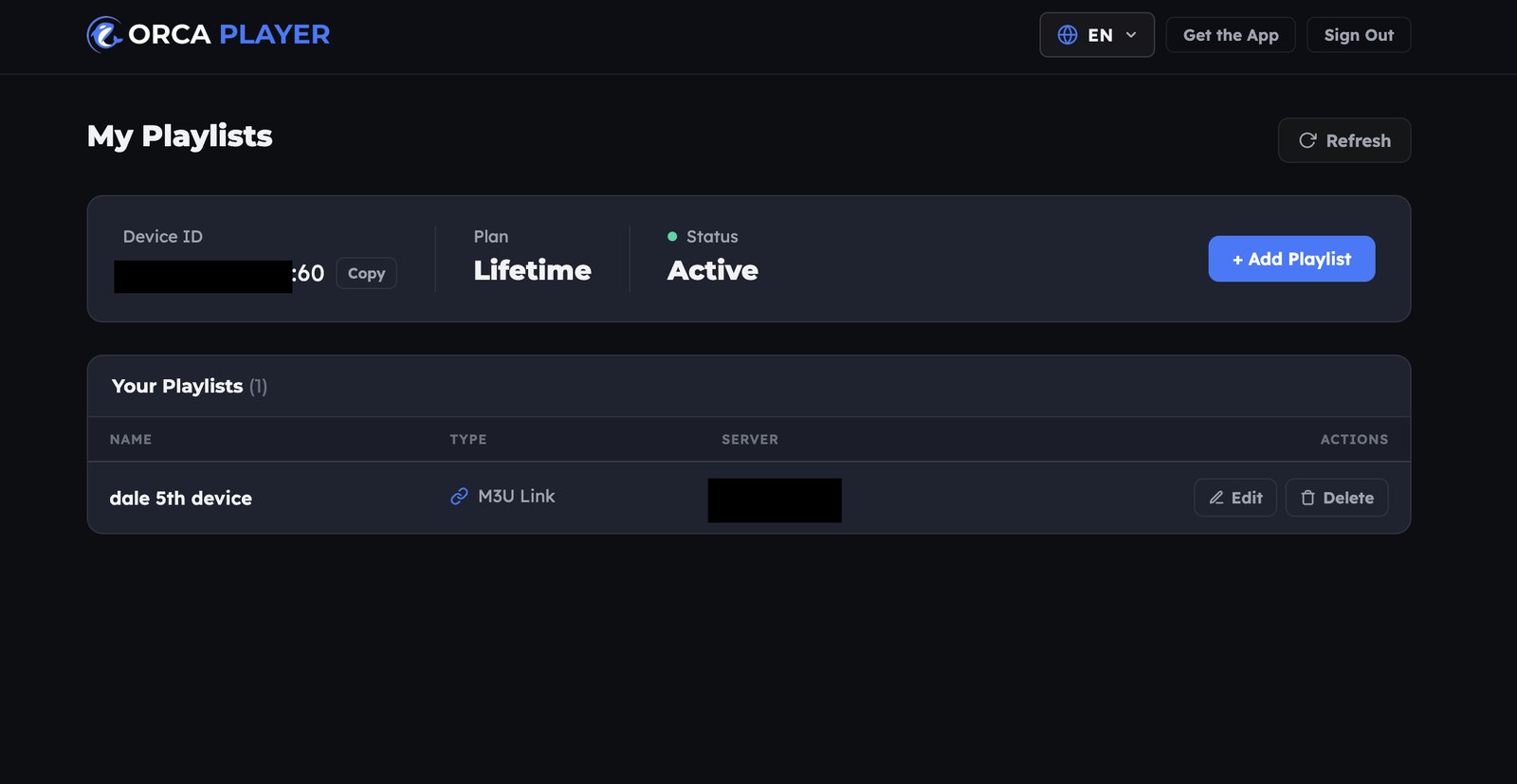
On a PC, adding a playlist is as easy as copy and paste. Enter your M3U URL or Xtream Codes server, username and password in the app, or use the Manage Playlist dashboard with the Device ID and Device Key shown on screen. Add several providers and switch between them instantly.
A full 7-day guide and catch-up
The EPG covers seven days and supports XMLTV. If your provider offers catch-up, you can rewind live TV and replay programs you missed.
Smooth playback up to 4K
Orca Player supports every quality from SD up to 4K and 8K with hardware-accelerated decoding, depending on your provider's streams and your PC. You can switch audio tracks and subtitles during playback, including external subtitle files.
One library on every device
Favorites sync across all your activated devices, and Continue Watching remembers your exact position in movies and episodes. Orca also runs on Android phones, Android TV and Fire TV, so you can start on your PC and keep watching on the couch.
Family features
Instant search finds channels, movies and series as you type. Parental control locks categories behind a key. The interface is available in more than 15 languages.
How to Install Orca Player on Windows
- Open the Orca Player page on the Microsoft Store, or open the Microsoft Store app and search for Orca Player.
- Click Get (or Install).
- Launch Orca Player from the Start menu.
- Your 7-day free trial starts automatically, with no credit card needed.
Orca Player runs on Windows 10 and Windows 11 PCs and laptops.
How to Add Your Playlist
- Open Orca Player and note the Device ID and Device Key.
- Paste your M3U URL or Xtream Codes details into the app, or add them from the web dashboard.
- Your channels, movies and series load, sorted by category. Start watching.
Tips for Better IPTV Streaming on a PC
- Use a wired connection for 4K streams. Ethernet is far more stable than Wi-Fi.
- Keep your graphics drivers updated so hardware decoding works properly.
- Plug in your laptop during long matches. Battery-saving modes can reduce video performance.
- Connect to your TV with HDMI to turn any laptop into a big-screen IPTV box.
Pricing and Activation
Every plan includes every feature:
- Free trial: 7 days, automatic on first launch, one per device.
- Yearly: €4.99, a one-time payment that doesn't auto-renew.
- Lifetime: €9.99, paid once.
When the trial ends, open the activation page, enter your Device ID and Device Key, choose a plan and pay securely with PayPal. Your PC unlocks right after payment.
Frequently Asked Questions
Is there a free IPTV player for Windows?
Orca Player is free to install and free for seven days. After that, it's €4.99 per year or €9.99 for lifetime access.
Does Orca Player work on Windows 10?
Yes. It runs on both Windows 10 and Windows 11.
Is VLC good enough for IPTV?
VLC is fine for testing a link. For daily viewing, you'll miss the EPG, Xtream Codes login and organized movie library.
Does Orca Player include channels?
No. You need your own M3U playlist or Xtream Codes subscription.
Is it legal to use an IPTV player on Windows?
Yes. The player is legal software. Make sure the content you stream is licensed in your country.
Final Verdict
If you want the best IPTV player for Windows, skip the risky downloads and complex setups. Orca Player installs safely from the Microsoft Store, loads M3U and Xtream Codes in seconds, and gives you a full TV guide, catch-up and a proper VOD library for a fair one-time price. Install it today and enjoy your first week free.


